Home
>
Blog
>
>
Summarizing a Video or Remote (Zoom) Deposition
A video or remote deposition produces two records, the certified transcript and the recording. A summary should use both without drifting into what only the video seems to show. Here is how:
- Work from the certified transcript: it is the authoritative text; the video supports it, it does not replace it.
- Add the timestamp next to the page and line: so a clip can be pulled for mediation or trial, not just a citation.
- Flag the exhibits shared on screen: note what was shown and when, because remote exhibits are easy to lose in the record.
- Mark the audio and connection gaps: crosstalk, dropouts, and inaudible marks that affect what the record captured.
- Hold the line: report what is on the record; do not read demeanor or judge credibility from the video.
Read on for how to summarize a video or remote deposition, and the line the summary does not cross.
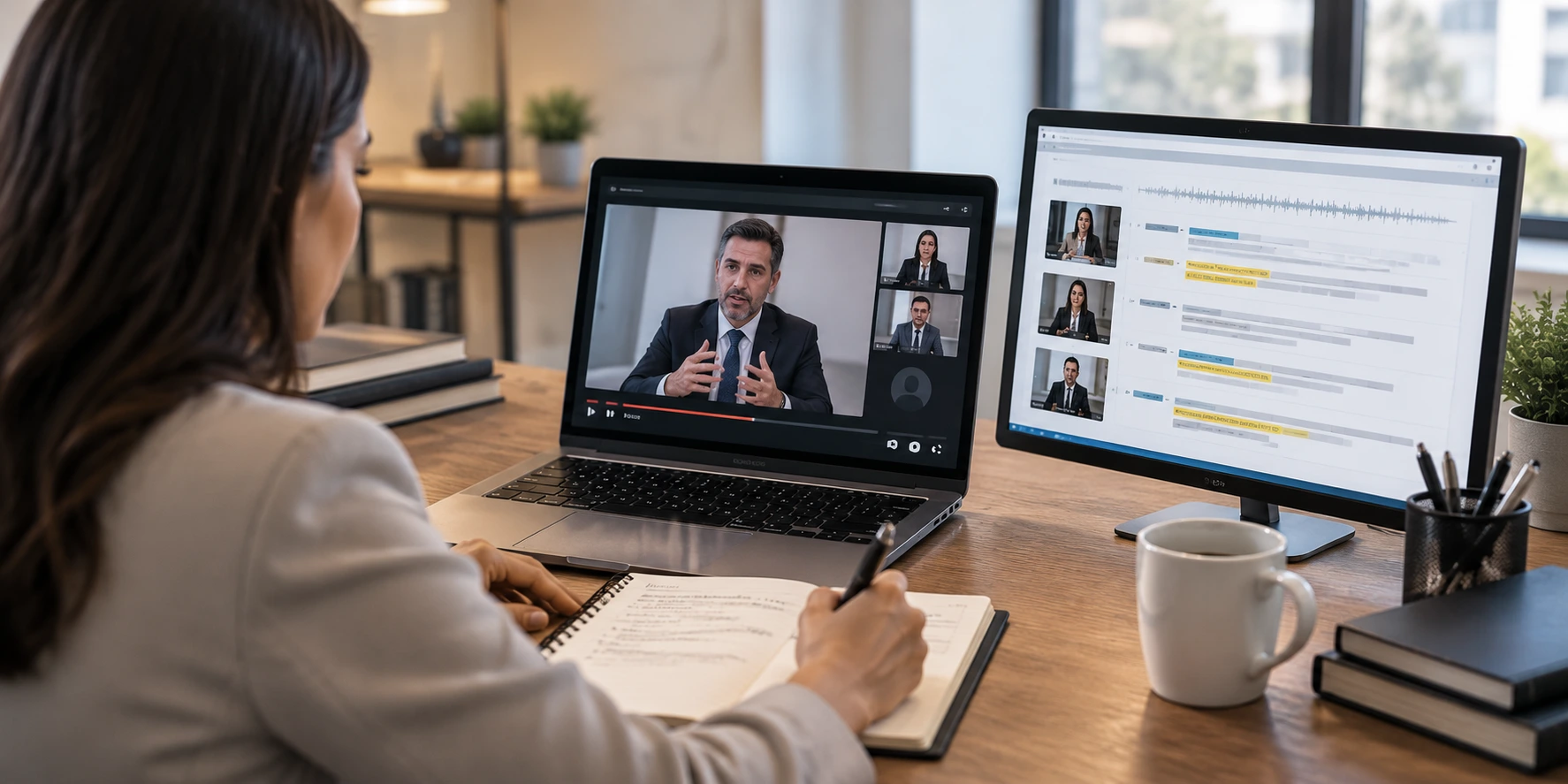
A video or remote deposition gives a legal team something a paper deposition never did: two records of the same testimony. There is the certified transcript, and there is the recording, and they are used for different things. The transcript is what gets cited. The recording is what gets played, a clip for mediation, an impeachment moment at trial. A summary that treats a video or Zoom deposition like a plain transcript misses the part that makes the video worth having, and a summary that leans on the video the wrong way drifts past what a summary is allowed to do. Getting both right is the job.
Here is the grounding. Under Federal Rule of Civil Procedure 30(b)(3), a deposition may be recorded by audio, audiovisual, or stenographic means, and under Rule 30(b)(4) it may be taken by remote means, which is what a Zoom deposition is. A deposition summary condenses that sworn testimony into a shorter, organized document with references back to the page and line. For a video or remote deposition, the summary works from the certified transcript and adds what the recording makes possible, without changing what a summary is.
A recorded deposition is still the transcript's job
Under Federal Rules of Civil Procedure 30(b)(3) and 30(b)(4), a deposition can be recorded by audiovisual means and taken remotely. The certified transcript stays the authoritative record, so a summary works from it, with the video in support.
Work from the certified transcript, not the video alone
The recording is useful, but the certified transcript is the authoritative record, and the summary is built on it. The court reporter's transcript is what the parties rely on and what gets cited in a motion, so a summary of a video deposition is still, at its core, a summary of the transcript. The video does not replace the page and line; it adds to it. Keeping every point anchored to the transcript is why page-line references are not optional even when a recording exists.
Add the timestamp next to the page and line
Here is where a video-deposition summary earns its keep. Alongside the page-line citation, the summary can note the recording timestamp for the answers that matter, so the team can jump straight to the clip. When an attorney wants to play thirty seconds of testimony at mediation or cue an impeachment clip at trial, a summary that already carries the timecode turns hours of scrubbing into a single jump. The page and line lets you cite it; the timestamp lets you play it. A summary built for a recorded deposition should give you both.
Need video depositions summarized with the timecodes to pull the clip?
Flag the exhibits shared on screen
Remote depositions handle exhibits differently, and the record shows it. An exhibit is shared on screen, marked, and discussed, and in a Zoom deposition the moment it appears and what the witness was looking at can be harder to follow than in a room where the document is handed across the table. A summary should note which exhibit was shown, when, and the testimony tied to it, cited to the page and line, so the exhibit does not get lost in the remote back-and-forth. This is the same reason a summary should track what the witness was shown when the exhibit changes the answer, and it matters more, not less, when the exhibit was on a screen.
Mark the audio and connection gaps
Remote testimony has failure points a paper deposition does not: crosstalk when two people speak at once, a dropped connection, a witness who froze mid-answer, an inaudible mark where the audio failed. Those show up in the transcript as breaks, and they can affect what the record actually captured. A summary should flag them where they touch material testimony, so the attorney knows an answer was interrupted, an exchange overlapped, or a portion was marked inaudible, rather than reading a clean summary that hides a messy moment in the record. Noting the gap is part of reporting the record accurately.
A video deposition gives you two records. The summary is built on the transcript and carries the timestamp, so you can cite the line and still play the clip.
What automation can sync, and what it can't judge
A recorded deposition is a place AI genuinely helps. It can align the transcript with the recording, attach timestamps to the testimony, and locate where exhibits were introduced faster than a person working from two files. What it cannot reliably do is tell which moments are worth a clip, judge when an inaudible mark sits on testimony that matters, or handle the recording without overstepping into what the video seems to show. So a dependable video-deposition summary pairs that speed with a trained reviewer who works from the certified transcript, confirms the timecodes against the material answers, and flags the exhibit and audio issues. The tool syncs the record; the reviewer decides what matters and keeps the summary on the transcript.
One boundary matters more with video than with any other format. A deposition summary reports what is in the record, the words, the exhibits, the page-line, and the timestamp, and flags where the recording is unclear. It does not read the witness's body language, describe their demeanor, or judge credibility from the video. The camera makes that tempting, and it is exactly the line a summary must not cross, because demeanor and credibility are the attorney's and the fact-finder's to weigh, not the summarizer's to narrate. The summary points you to the clip; what the clip shows about the witness is your call.
Summarizing a video or remote deposition is not a different kind of summary. It is the same faithful, cited summary of the transcript, with the timecodes and the remote-specific flags that make the recording usable.
Summarizing a video or remote deposition
2
Records to work from
The certified transcript (authoritative) and the recording (for clips), tied together.
30(b)(3) and 30(b)(4)
The rules behind it
Depositions may be recorded by audiovisual means and taken by remote means. (FRCP)
1
Line the summary holds
It reports the record and cites the timestamp; it does not read demeanor or judge credibility from the video.
Frequently Asked Questions
How is summarizing a video or remote deposition different from a regular one?

You have two records instead of one: the certified transcript and the recording. The summary is still built from the transcript, but it can add the recording timestamp next to the page and line so answers can be played as clips, and it flags remote-specific issues like screen-shared exhibits and audio gaps.
Should a video deposition summary work from the transcript or the video?
From the certified transcript. Under the rules the transcript is the authoritative record and is what gets cited, so the summary is built on it. The video supports the transcript by letting the summary add timecodes and confirm what was shown on screen; it does not replace the page and line.
What are timestamps used for in a deposition summary?
They let the team jump straight to a clip. Alongside the page-line citation, a recording timestamp on the material answers means an attorney can play thirty seconds at mediation or cue an impeachment clip at trial without scrubbing the video. The page-line lets you cite it; the timestamp lets you play it.
How should a summary handle exhibits in a remote deposition?
Note which exhibit was shared on screen, when it appeared, and the testimony tied to it, cited to the page and line. Remote exhibits are easy to lose in the back-and-forth, so surfacing what the witness was shown and when keeps the exhibit connected to the answer it affected.
What about audio problems or dropped connections in a Zoom deposition?
The summary flags them where they touch material testimony: crosstalk, a dropped connection, a frozen answer, or an inaudible mark in the transcript. Noting the gap tells the attorney an answer was interrupted or a portion was not captured, rather than presenting a clean summary that hides a messy moment in the record.
Can a video deposition summary describe the witness's demeanor?
No. The summary reports what is in the record and cites the transcript and timestamp; it does not read body language, describe demeanor, or judge credibility from the video. Those are for the attorney and the fact-finder. The summary points to the clip; what the clip shows about the witness is their call.
A video or remote deposition is still summarized from the transcript, but the recording lets the summary do more. Build it on the certified transcript, add the timestamp next to the page and line so the clip is one jump away, flag the exhibits shared on screen and the audio or connection gaps that touch material testimony, and stop at the line the video tempts you to cross: report the record, do not narrate demeanor or credibility. Handle a recorded deposition that way and the summary gives a legal team both things at once, the citation to quote and the timecode to play.
Ready for video and remote deposition summaries that carry the timecodes and flag the remote-specific issues, traceable to the line? Partner with LezDo TechMed for deposition summary services, or estimate a summary to see how it is handled. For the full method behind it, see our guide to drafting a deposition summary.
Source Credit : All metrics derived from LezDo TechMed’s internal project data.
Anjana Devi Vijay
Anjana Devi Vijay is a Certified Legal Nurse Consultant (CLNC) and Medical–Legal Research Analyst with 9+ years of experience in medical record review, deposition summary analysis, and medico-legal research. She specializes in transforming complex healthcare documentation into accurate, actionable insights that support attorneys, insurers, and medical evaluators. With expertise in clinical documentation analysis and legal case support, she creates research-driven content focused on improving decision-making and case outcomes.








.png)


